

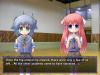

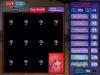

丸呑み
Alias: Swallow!
Circle: Bakery
Release: Jul/31/2010
Translation: Rogue Translator
Work Format: Simulation
Genre: Rape, Tentacle, Interspecies Sex, Girl, Loli, Virgin Female
File Size: 181.25MB
*You need to change system locale to Japanese.
Chase after terrified and running girls and swallow them!
This is a simulation game on the theme of monster panic from the monster’s point of view.
A lot of vore and erotic situations.
Features several kinds of monsters such as the one which has a tube shape, slime shape or frog shape.
Features 12 + bonus target characters for you to pursue
No grotesque element like digestion.

By the holy light, you’ve manage to answer my prayer…
Thank you…
does this game randomly crash for anyone else? i can barely get through the first encounter without the game just closing on its own without any warnings or errors. i’ve had this happen with other games too, but can’t seem to find any solutions. running windows 10, comp mode vista/sp2, w/ locale emulator. any help or advise would be appreciated.
yes it does for me, i’ve tried locale emulators, running the actual system in japanese, compatibility modes.. everything… I couldn’t find a fix so if someone does, let me know too
so after more fucking research than I used to do on papers, I found it: When Windows transitioned to 64-bit, Microsoft made it possible to use more than 4GB of memory, and it made your computer more secure, but it also blocked use of unsigned drivers. Drivers now come with a digital signature that verifies their integrity. Drivers that lack this signature aren’t allowed to run. Unfortunately, some older games rely on these drivers, which can cause problems when you try to run them.
To install unsigned drivers, you’ll need to boot into a special mode that allows it. To do this, open your Start Menu, click the Power icon in the lower-left corner, and hold down Shift while you click Restart. This will take you to a special boot menu.
On this menu, click Troubleshoot > Advanced options > Startup Settings > Restart. This will take you to a boot menu that lists several options you can change. The seventh option should read Disable driver signature enforcement, so press F7 to boot into this menu. In this mode, you should be able to install the game or any drivers the game needs.
TLDR: open the menu, click “restart” while holding shift and follow last paragraph.
this one felt more like an rpg instead of simulation