










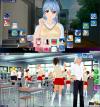
ジンコウガクエン
Developer/Publisher: Illusion
Release: 2011/06/10
Work Format: Simulation
Genre: 3d game, 3dcg, animated, handjob, male protagonist, masturbation, oral sex, titfuck, vaginal sex, adventure, big tits, big ass, cosplay, creampie, dating sim, groping, japanese, romance, school setting, voiced
File Size: 3.3GB
Overview:
Artificial Academy (ジンコウガクエン, Jinkou Gakuen) is an eroge high school social simulation, spun off from Illusion’s Artificial Girl series, released by Illusion on June 10, 2011.
Create and play any of up to 25 students of varying gender, orientation and other interaction abilities and personal inclinations. Make friends and lovers as the class competes for achievement in academics, athletics, popularity, and romance.

I’ll upload Artificial Academy 2 later.
Waiting for it 🙂
so how do I get to play this ive downloaded it and un zipped everything but the readme makes zero sense. and cant find were to actually start the game at
1. to josh, you ahve to install it to play, this isnt a download, click, play.
2: Ani idea how to solve the win 10 problem that makes this old ilussion games dont work properly and be at like 1 fps?
that’s what I as asking as how do I install it as the instructions it comes with I cant understand do to the engrish its written in
I’m not sure what your problem is but I have no problem with the instructions at all.
Yes, Windows 10 seems to cause problems with the game engine (super low FPS when talking to NPCs)
I’ve seen that Artificial Academy 2 has the same problem but it has a quick fix, by placing a “d3d9.dll” file next to the executables of the game.
However, this doesn’t seem to work with AA1. So far, I haven’t been able to find a solution to this super annoying problem. If you guys find anything please let us know!
installation process:
1 – Install base game using the 2 disk images (don’t use japanese characters in your install directory – it will not work with the english patch if you do so)
2 – Mount disk 1 again, go to the “edit” folder and install the character editor (this is requiered for the game to work too) and remember to not use japanese characters
3 – Install the Locale.Emulator (simply launch “LEInstaller” and click “install for current user user” and close the window)
4 – Install the HF_Patch4.0 (you’ll know that everything is okay if the patch doesn’t throw you any warning boxes – proceed to install, don’t touch any options unless you know what you are doing)
5 – Now go to where you installed the game (in my case “D:\ilussion\AA”) and launch “AAPlay English”. The game should launch properly
i didnt manage to do it with aa2 :/ any link for the proper game with d3d9 solution?
Disk1_2.7z contains the fix, just copy and paste the d3d9.dll file into the install dir.
If you going to play Artificial Academy 2 i highly recommend you to use AAUnlimited v1.5.3, it fixes win10 problems and adds a lot of new options such as improved character creator, with much more body sliders. You can get in on Hongfire, but it seems that Hongfire is currently down, so get it in GitHub https://github.com/aa2g/AA2Unlimited/releases
Also try modules, it adds a lot of fun new stuff like various special traits and behavior changes to the characters, get it here https://github.com/aa2g/AA2Unlimited/wiki/Modules
Hey during the install i keep getting an error regarding a file on disk 2 called jcp00_00_00.pp, any help is appreciated!
Need help, I run the AAPlay English.exe but it was still in japanese language, did I miss something??
Never mind, I got it fixed.